

Description
Download 100 Dips Workout BeStronger – 100 dips workout, push-up training, uneven bars, strength training, fitness program, workout app
Overview
The 100 Dips Workout BeStronger is a structured fitness program designed to help users build strength and endurance through consistent push-up training on uneven bars. The primary goal of the program is to enable users to complete 100 consecutive push-ups within a 6- to 10-week timeframe, depending on individual progress and consistency. This training course targets individuals seeking to improve upper body strength, muscular endurance, and overall physical resilience. The program is especially suited for fitness enthusiasts, home workout practitioners, and individuals aiming to enhance their physical capabilities without requiring gym access.
Users can select from different training levels, allowing for customization based on their current fitness capacity. This adaptive structure supports both beginners and more advanced users, promoting a safe and progressive approach to strength development. The software includes warm-up and cool-down routines to prepare the body before training and support recovery afterward, reducing the risk of injury and enhancing performance. Real-world usage scenarios include daily home workouts, office-based fitness breaks, or integration into broader fitness regimens.
The developer, BeStronger, has positioned this tool as a focused, goal-oriented solution for strength training. While specific details about the company’s background were not provided, the product’s design reflects a clear emphasis on measurable progress, user engagement, and structured progression. The app serves as a digital coach, guiding users through a disciplined training path with built-in tracking and motivational elements.
Key Features & Capabilities
- Progressive Training Levels – Users can choose a starting level that matches their current strength, ensuring a safe and effective entry point into the program. As users advance, they can transition to higher difficulty stages.
- 100 Push-Up Goal System – The core objective is to build the capacity to perform 100 push-ups in a single set, with the program structured to support this milestone over several weeks.
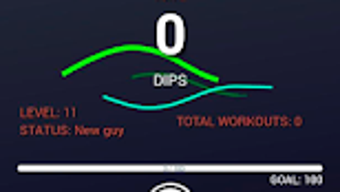
- Quick Stats Dashboard – Provides real-time insights into current average push-up performance, active program level, progress status, and earned achievements such as medals.
- Workout Reminders – Built-in notification system helps users maintain consistency by scheduling and reminding them of daily or scheduled training sessions.
- Warm-Up & Cool-Down Routines – Pre- and post-workout exercises are included to prepare muscles, improve flexibility, and support recovery, enhancing overall training safety.
- Program Flexibility – Users have the ability to adjust or switch their training program if they feel they are not progressing as expected, allowing for personalized adaptation.
These features work together to create a structured, feedback-driven experience. For example, the quick stats dashboard allows users to track their daily performance and recognize incremental improvements. The reminder function supports habit formation, which is critical for long-term adherence. The inclusion of warm-up and cool-down exercises reflects a holistic approach to training, reducing injury risk and promoting sustainable progress.
User Interface, Workflow & Performance
The user interface is designed to support a clean and intuitive training experience. Navigation appears to be straightforward, with clear access to the current workout plan, progress tracking, and program settings. The layout likely prioritizes essential information such as daily goals, completed sets, and achievement milestones, minimizing distractions during use.
Workflow efficiency is enhanced by the integration of reminders and real-time feedback through the stats dashboard. Users can quickly assess their progress without navigating through multiple layers of menus. The program’s structure supports a repeatable daily routine, which is beneficial for users aiming to establish consistency.
Performance details were not specified by the developer. However, based on the nature of desktop fitness applications, the software is expected to operate smoothly on standard modern systems. The developer did not provide information about CPU or RAM usage. Stability is assumed to be adequate for a non-intensive application, but exact behavior under varying conditions remains unconfirmed.
Compatibility & System Requirements
The 100 Dips Workout BeStronger is available for both Windows and Mac operating systems, making it accessible to a broad range of desktop users. The software has a file size of 250 MB, indicating a lightweight installation that should not significantly impact storage space on most devices.
Exact system requirements were not listed. The developer did not specify minimum CPU, RAM, or graphics requirements. Platform compatibility information is limited to the supported operating systems. Users should ensure their system meets general desktop software standards, but no specific hardware benchmarks were provided.
Pros and Cons
Pros
- Clear, goal-oriented training structure focused on achieving 100 push-ups
- Adaptive program levels support users of varying fitness levels
- Integrated stats dashboard provides real-time performance feedback
- Reminders help maintain workout consistency
- Includes warm-up and cool-down routines for safer training
- Flexible program adjustment allows for personalized progress
Cons
- Exact system requirements were not specified
- Performance metrics such as CPU or RAM usage were not disclosed
- Limited information about offline functionality
- No details on update frequency or future content additions
- Price point may be considered high for a single-purpose fitness tool
FAQ Section
Is 100 Dips Workout BeStronger compatible with Windows and Mac?
Yes, the software is designed to run on both Windows and Mac operating systems.
Is the software secure to download and use?
As a desktop application, it is intended for secure use. Users should download it from official sources to ensure authenticity and avoid potential risks.
How often are updates released for the app?
The developer did not specify the update frequency. Users should check the official website for the latest version.
What type of license does the software use?
The software is sold as a one-time purchase at $19.99, but the exact license type was not provided.
Can I use the app offline?
While the developer did not confirm offline functionality, many desktop fitness applications operate without an internet connection after installation. Users may be able to use the core features offline.
Final Thoughts + CTA
The 100 Dips Workout BeStronger presents a focused, structured approach to upper body strength training through push-up progression on uneven bars. With its clear goal of achieving 100 consecutive push-ups, adaptive program levels, and built-in tracking features, it offers a valuable tool for users committed to disciplined fitness development. The inclusion of warm-up and cool-down routines, along with reminder functionality, enhances usability and promotes long-term adherence.
While some technical details such as system requirements and performance behavior are not publicly disclosed, the software’s lightweight size and cross-platform availability suggest broad accessibility. The program is ideal for individuals who prefer home-based training, value measurable progress, and seek a digital companion for their strength journey.
For those aiming to build endurance and strength through consistent push-up training, this app delivers a practical and goal-driven solution. Download 100 Dips Workout BeStronger now to begin your journey toward mastering 100 push-ups.
Guides & Tutorials for 100 Dips Workout BeStronger
How to install 100 Dips Workout BeStronger
- Click the Preview / Download button above.
- Once redirected, accept the terms and click Install.
- Wait for the 100 Dips Workout BeStronger download to finish on your device.
How to use 100 Dips Workout BeStronger
This software is primarily used for its core features described above. Open the app after installation to explore its capabilities.
User Reviews for 100 Dips Workout BeStronger 0
No reviews found





